VOICE
Hands-free dictation
Tap the microphone on any field. Speech-to-text runs locally when possible. Works at the top of a ladder or under a crawlspace.
SECTION
A working inspector needs a fast, opinionated app — not a configuration project. Here is what's inside SnapInspect AI, and why each part exists.
01 — AI POLISH
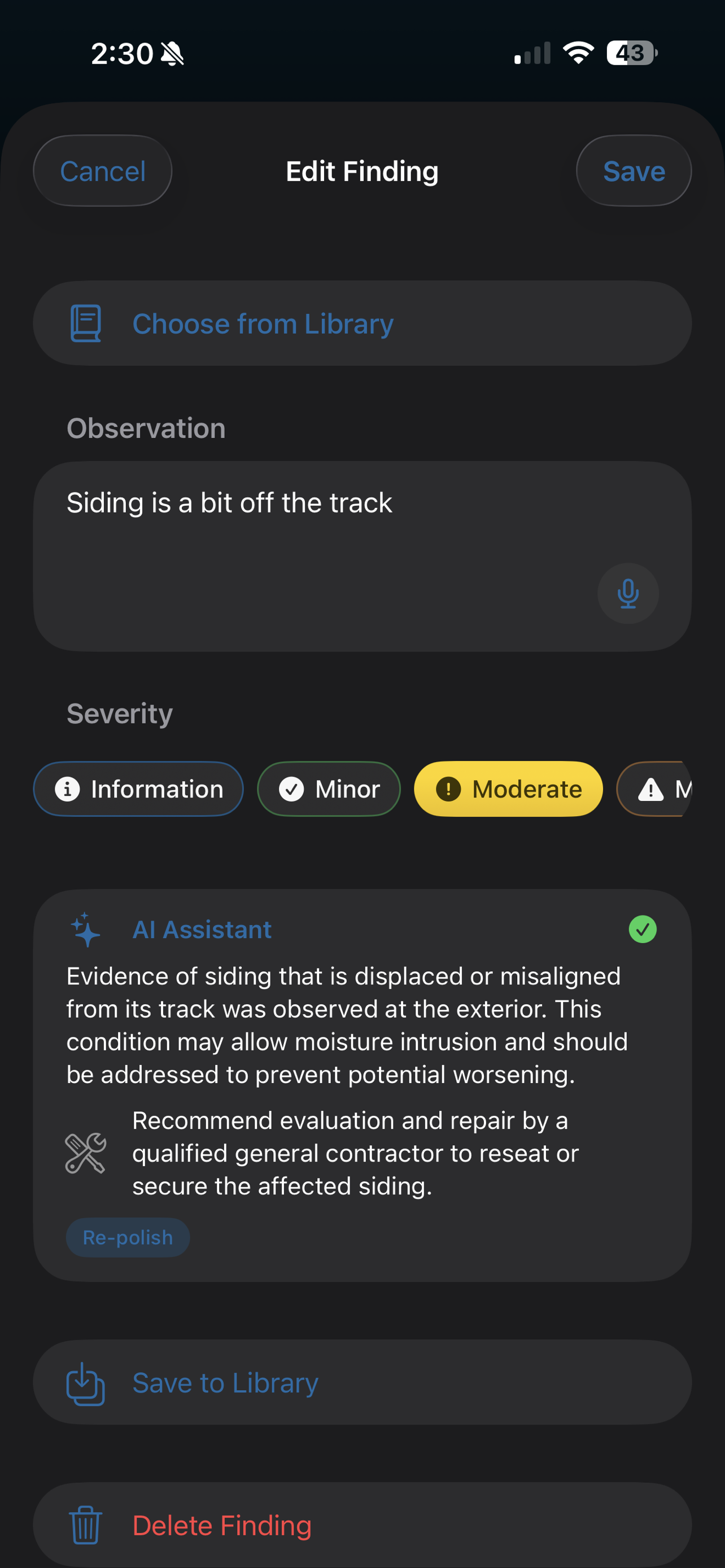
Tap "Polish with AI" on any finding. The text becomes contractor-grade language inspectors actually use. Conservative. Specific. Never invents a measurement or recommends a repair you didn't suggest.
When the original note is too brief to be defensible, the AI flags it and asks you to add detail. Re-polish freely until it reads right.
"Most polish requests complete in under three seconds."
02 — AI CLIENT SUMMARY
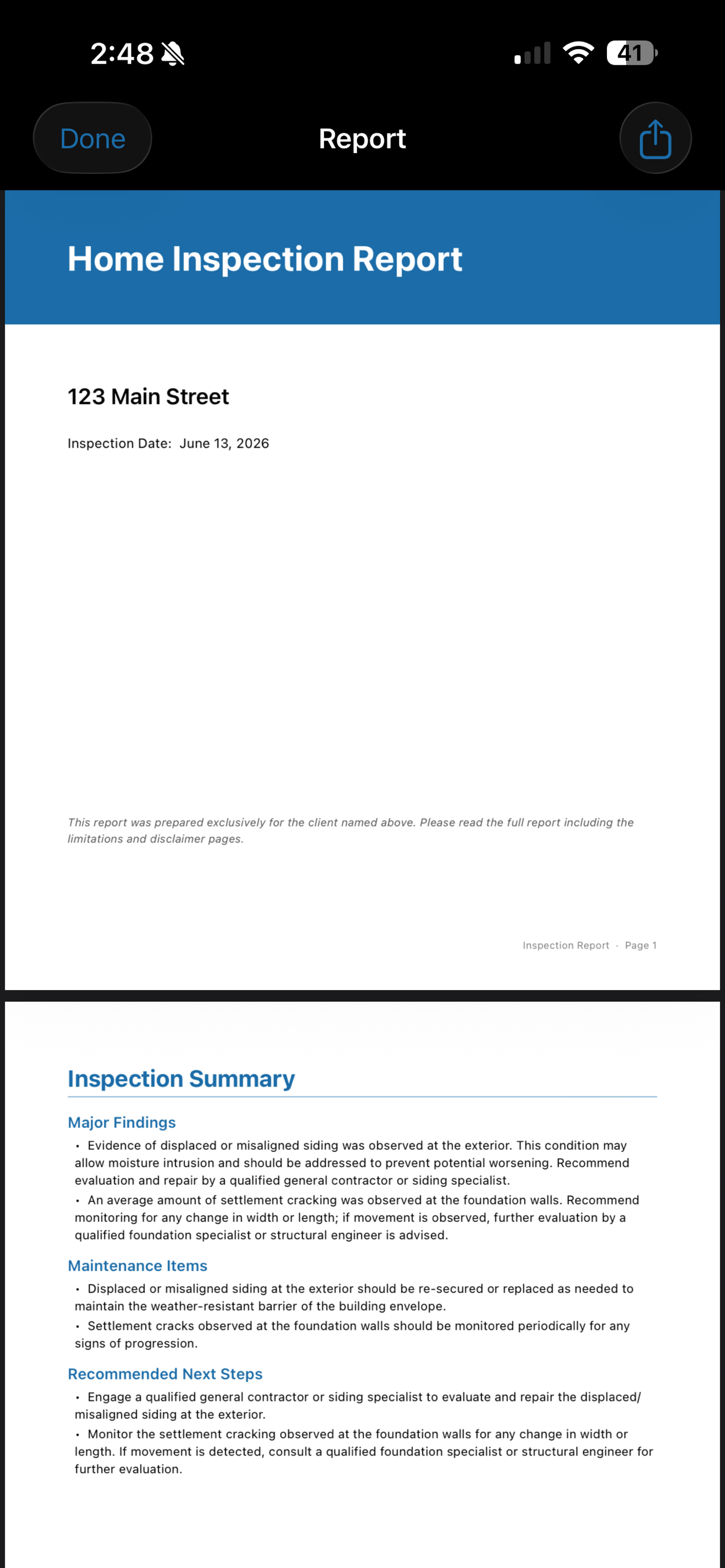
Every PDF opens with a green-yellow-red client summary written by the AI from your findings. It explains what was found, why it matters, what could happen, and which specialist to call.
Realtors and buyers actually read this page. It is the difference between a report that earns a referral and one that doesn't.
03 — BRANDING
Your company logo. Your license number. Your signature. Your brand color. The PDF the buyer receives is a finished business document, not a SaaS template.
EXAMPLE
Watkins Inspections, LLC
Lic. № HI-1238104 · 2026
Property — 1842 Oak Ridge Way
Client — Ana Restrepo
Inspector — Marcus Watkins
Date — March 18, 2026
PDF EXPORT · 14 PAGES
№ 004 — The Inventory
VOICE
Tap the microphone on any field. Speech-to-text runs locally when possible. Works at the top of a ladder or under a crawlspace.
PHOTOS
Take photos from anywhere in the inspection. File them to a finding or a category. Photos never leave the device unless you share the report.
CATEGORIES
Roof, Exterior, Foundation, Grading, Driveway, Garage, Structure, Basement, Attic, Bedrooms, Kitchen, Bathrooms, Plumbing, Electrical, HVAC, and more — organized the way you actually inspect.
SEVERITY
Information, Minor, Moderate, Major, Safety Hazard. Color-coded throughout the app and on the final report.
PROGRESS
Inspected, Not Present, Not Inspected. The dashboard shows a progress ring so you always know what's left.
LIBRARY
Conservative pre-written comments seeded on first launch. Save your own as you write. Search and tap to insert.
OFFLINE
Inspect anywhere. If a finding can't be polished because you're offline, it queues and finishes when you're back online.
SHARE
Send the PDF directly to Mail, Messages, AirDrop, Files, or any iOS share target. No proprietary portal to log into.
— FIN —
SnapInspect Pro is $99.99 per month with a 14-day free trial. Cancel any time in the App Store.
Download on the App Store